DayZ
each
Auf Lager
Auf Lager
Nicht auf Lager
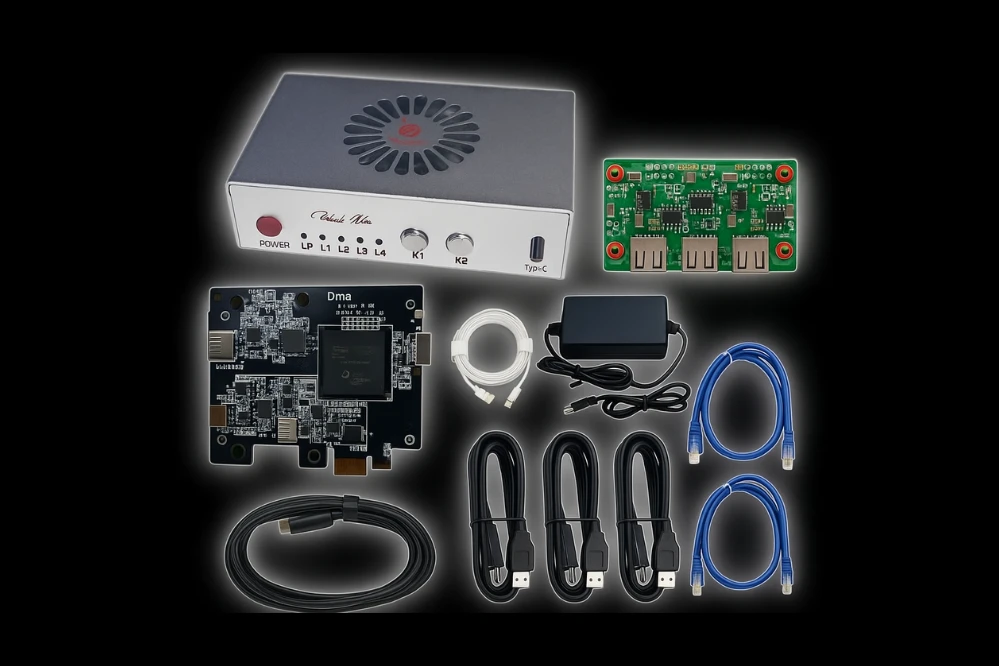
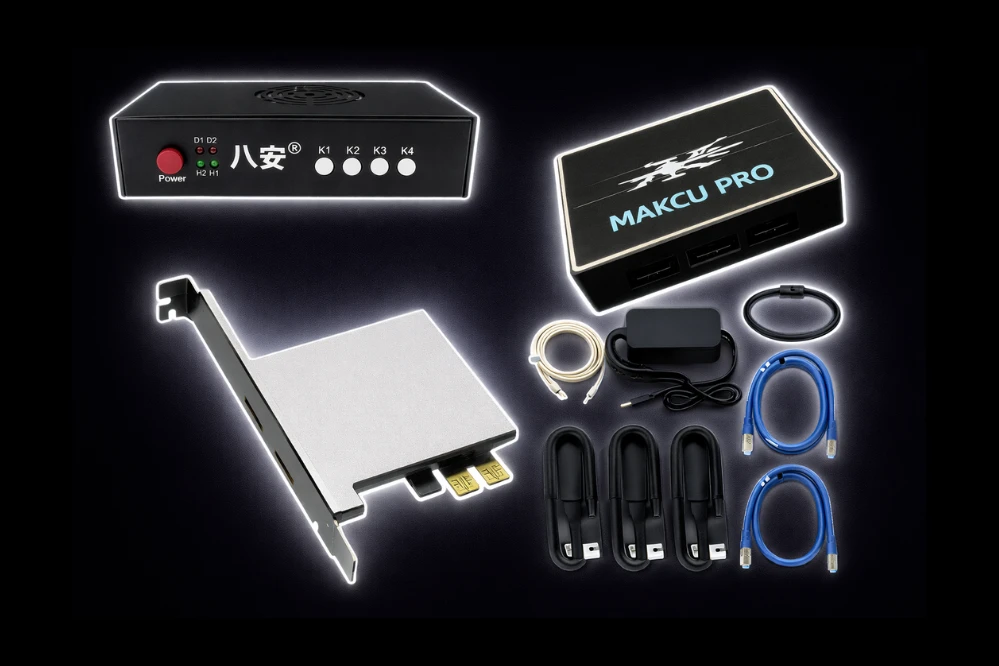
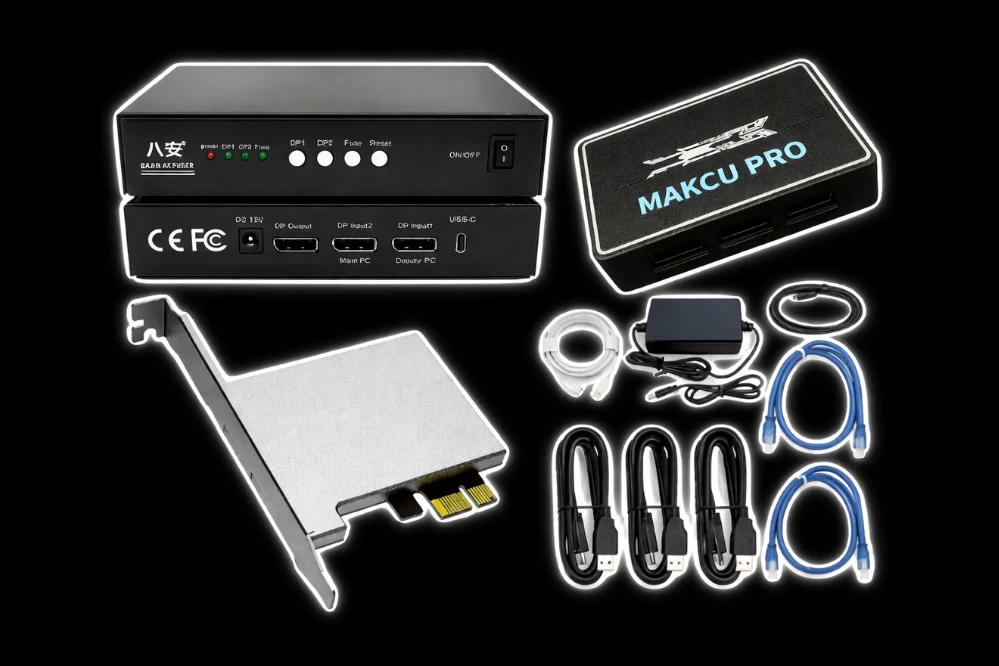
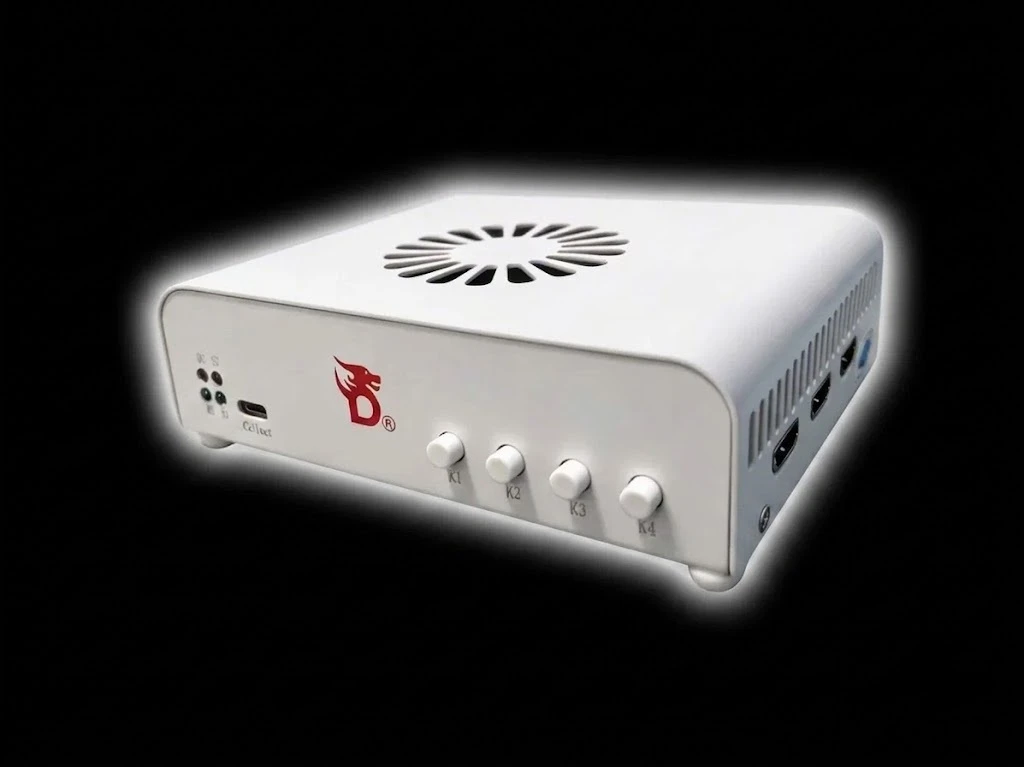
You must own a DMA card to use this product.
Supported Platforms
- DayZ – Full DMA support for all versions
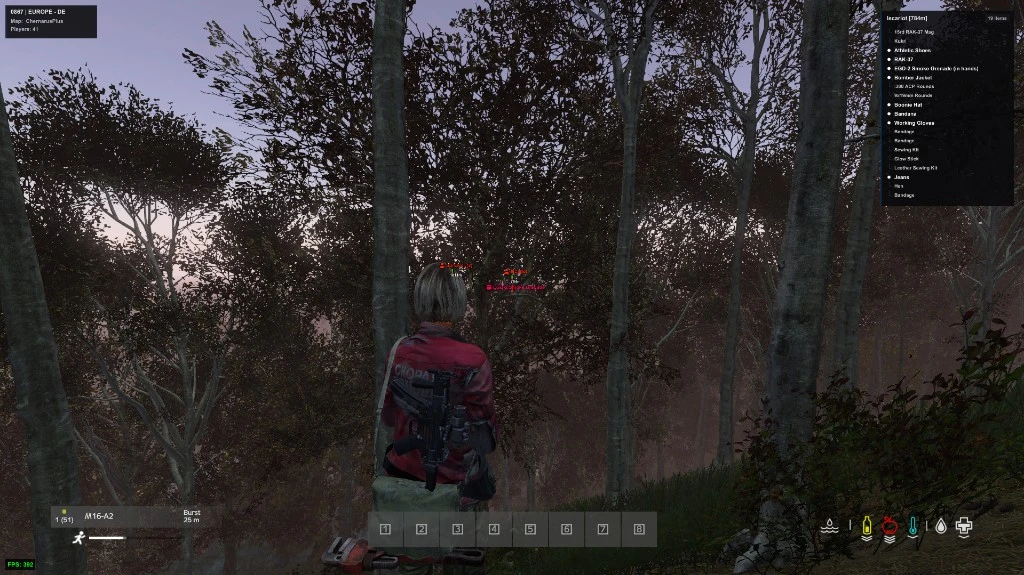
👁️ ESP
Players
- Player ESP – Master toggle for player tracking
- Show Bots – Display AI-controlled bot players
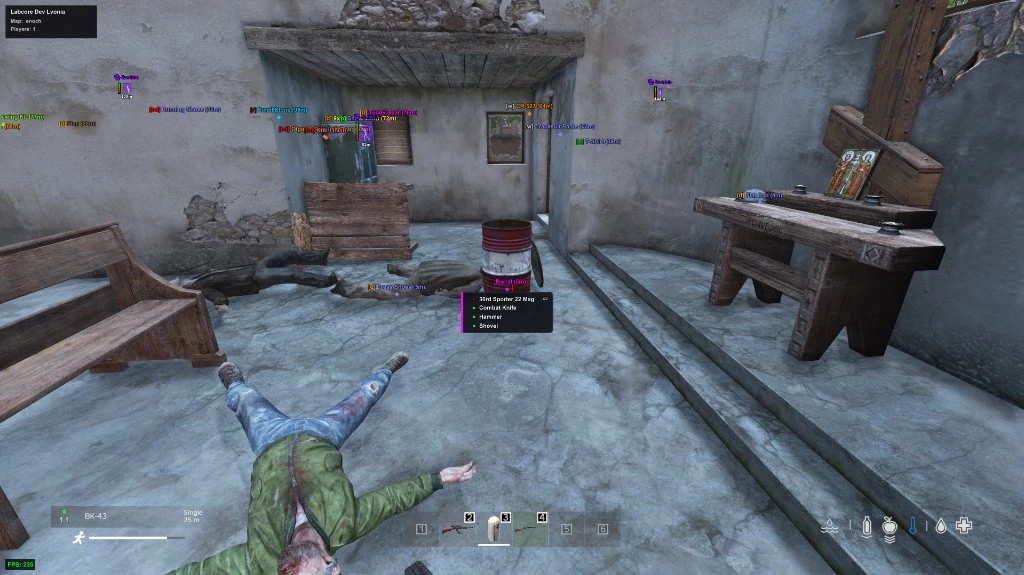
- Inventory – Show what items players are carrying
- Disable ESP for Friends – Hide ESP for added friends
- Admin Detection – Alert when admins are nearby
- Max Distance – Set maximum player render distance
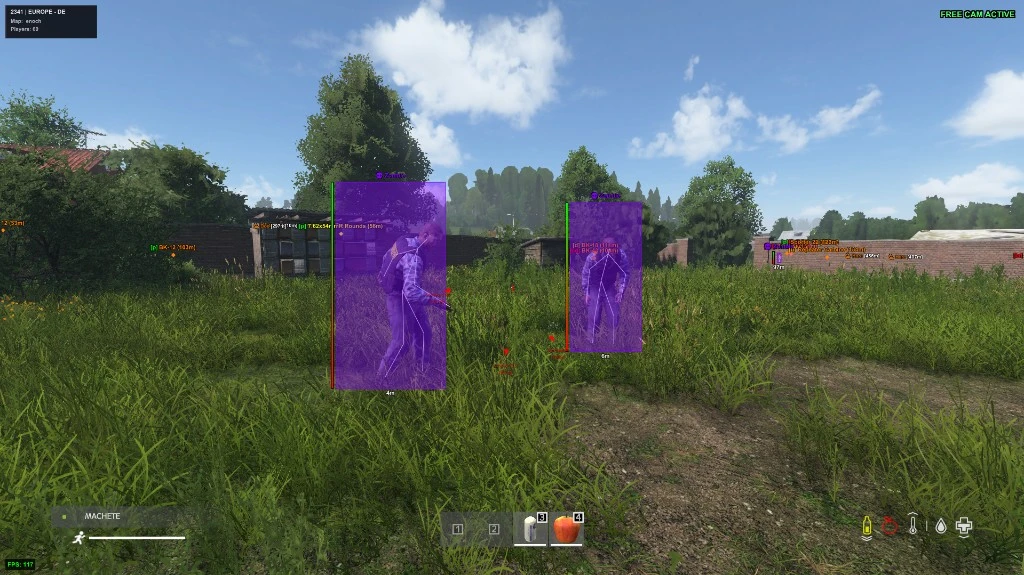
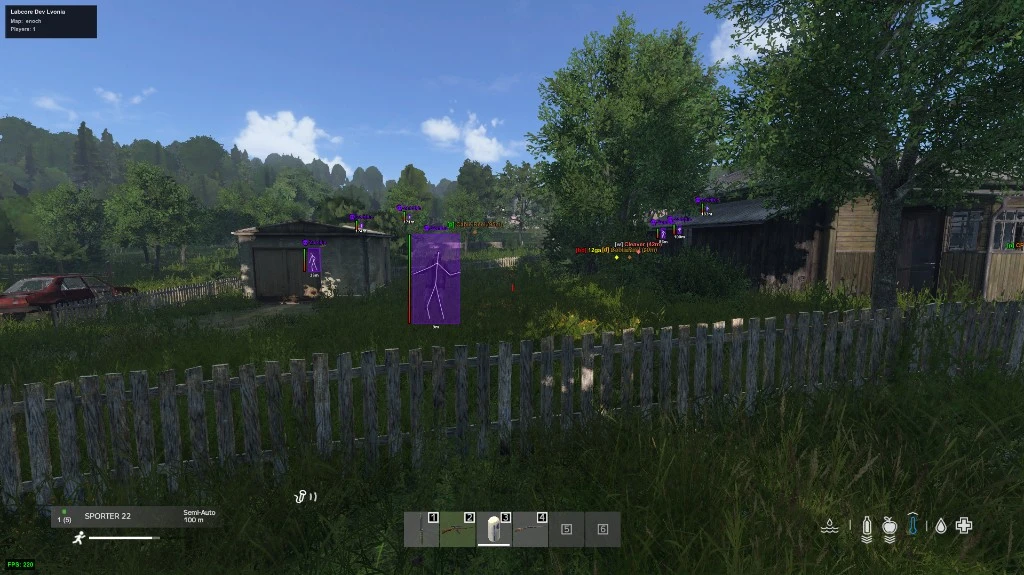
- Box ESP – Draw boxes around players with customizable style
- Skeletons – Display stick-figure outlines for movement tracking
- Names – Show player names above their heads
- Distance – Display exact range to each player
- Tracers – Show projectile trails from players
- Viewlines – Display where players are looking
- Item Held – Show the weapon or item currently equipped
- Ammo Counter – Display ammunition count for held weapons
- Health – Show player health status
- Stance – Display current stance (standing, crouching, prone)
- Corpses – Track dead player bodies
- Out of FOV Arrows – Point toward players outside your view
Infected
- Box ESP – Draw boxes around infected with customizable style
- Skeletons – Display infected skeletons for easy tracking
- Names – Show infected type names
- Distance – Display exact range to each infected
- Health – Show infected health status
- Out of FOV Arrows – Point toward infected outside your view
- Corpses – Track dead infected bodies
- Max Distance – Set maximum infected render distance
Wildlife
- Animals ESP – Master toggle for animal tracking
- Names – Show animal species names
- Distance – Display range to each animal
- Health – Show animal health status
- Max Distance – Set maximum animal render distance
Vehicles
- Vehicle ESP – Master toggle for vehicle tracking
- Names – Show vehicle model names
- Distance – Display range to each vehicle
- Cargo ESP – Show items stored in vehicles
- Max Distance – Set maximum vehicle render distance
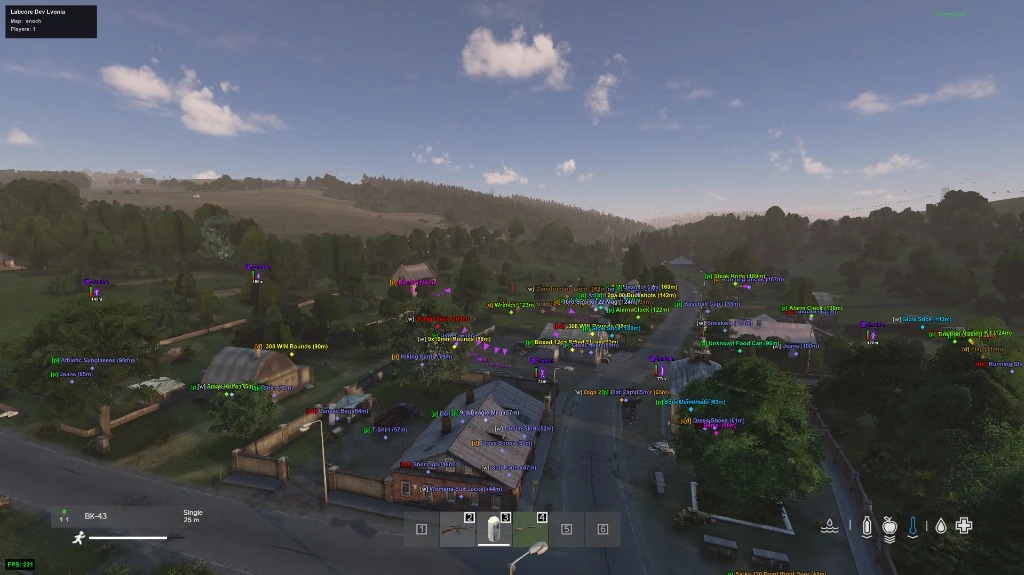
Loot
- Max Distance – Set maximum loot render distance
- Categories – Toggle individual categories: Weapons, Explosives, Melee, Ammo, Attachments, Medical, Clothing, Mod Clothing, Food, Tools, Containers, Consumables, Craftables, Cooking, Vehicle Parts, Base Building, Modded Base Building, Others
- Custom Categories – Create and manage custom loot categories
- Item Settings – Toggle Item ESP, Name ESP, Distance ESP, adjust Font Size, draw Loot Line, and enable Hover Only
- Containers – Show Items Inside with adjustable Inside Max Dist
- Filters – Use Whitelisted Only, set Item Quality with Quality Colors, Disable Ruined Items, use Quality Filter with Min Quality
- Distance Fade – Set Fade Start and Fade End for distance-based fading
- Grouping – Enable Grouping with adjustable Group Distance
- Whitelist Highlight – Highlight whitelisted items
- Item Filter Window – Open the item filter interface
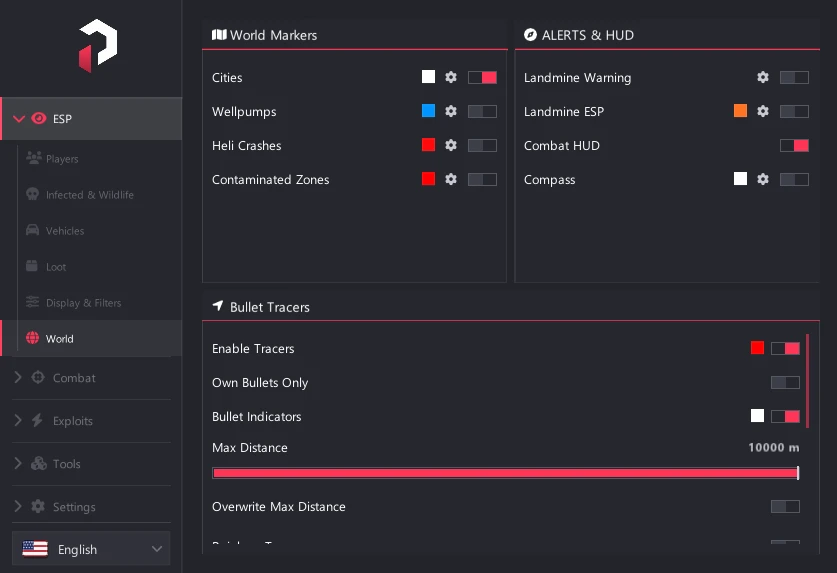
World
- Cities – Display city and town names on screen
- Wellpumps – Show well pump locations for water
- Heli Crashes – Mark helicopter crash sites
- Contaminated Zones – Highlight contaminated areas
- Landmine Warning – Alert when near landmines
- Landmine ESP – Show landmine locations
- Combat HUD – Display combat status information
- Compass – Overlay compass on screen
- Bullet Tracers – Show projectile trails with Own Bullets Only option
- Bullet Indicators – Display bullet direction indicators
- Tracer Settings – Adjust Max Distance, toggle Rainbow Tracer, Tracer Tip Sphere, Line Thickness, Dot Size, Pulse, and Pulse Speed
🎯 Combat
Connection
- Device Type – Select from supported aim devices
- Auto Connect on Startup – Automatically connect when launched
- Baud Rate – Set connection baud rate
- COM Port – Select communication port
- Network Address – Set network device address
- Connect – Establish device connection
- Disconnect – End device connection
- Test Movement – Verify device functionality
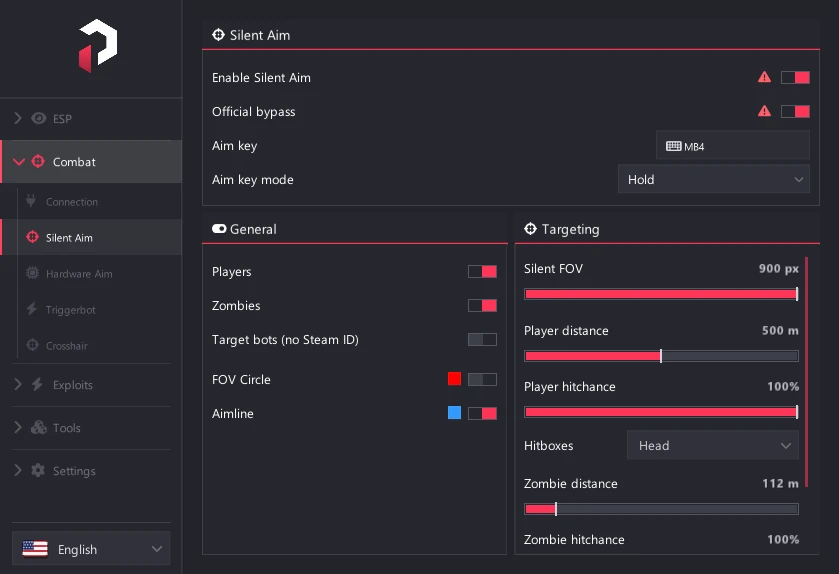
Silent Aim
- Enable Silent Aim – Master toggle for silent aim
- Official Bypass – Enable official server bypass
- Aim Key – Assign activation key
- Aim Key Mode – Choose hold or toggle
- Targets – Toggle targeting for Players, Zombies, and Bots
- FOV Circle – Display the FOV circle
- Aimline – Show aim direction line
- Silent FOV – Set detection field of view
- Player Settings – Set Distance, Hitchance, and Hitboxes
- Zombie Settings – Set Distance, Hitchance, and Hitboxes
Hardware Aim
- Aim Key – Assign activation key
- Aim Key Mode – Choose hold or toggle
- Aim FOV – Set detection field of view
- Move Interval – Control movement update frequency
- Target Bots – Target AI bots
- Prediction – Enable target movement prediction
- FOV Circle / Aimline – Visual indicators
- Player Settings – Toggle targeting, set Distance, Priority, Smoothness, and Hitboxes
- Zombie Settings – Toggle targeting, set Distance, Priority, Smoothness, and Hitboxes
Triggerbot
- Enable Triggerbot – Master toggle for automatic firing
- Trigger Key – Assign activation key
- Key Mode – Choose hold or toggle
- Delay – Add delay before firing
- Hit Radius – Set detection radius
- Player Settings – Toggle targeting, set Distance, and Hitboxes
- Zombie Settings – Toggle targeting, set Distance, and Hitboxes
Crosshair
- Enable – Toggle custom crosshair overlay
- Type – Choose crosshair style
- Size – Adjust crosshair size
- Thickness – Control line thickness
- Gap – Set gap between crosshair elements
- Rotation – Rotate crosshair by degrees
- Outline – Toggle outline visibility
- Outline Thickness – Control outline thickness
- Force In-Game Crosshair – Show game crosshair alongside custom
- Live Preview – See changes in real-time
⚡ Exploits
Risk Acceptance
- Risk Acceptance – Acknowledge and accept usage risks
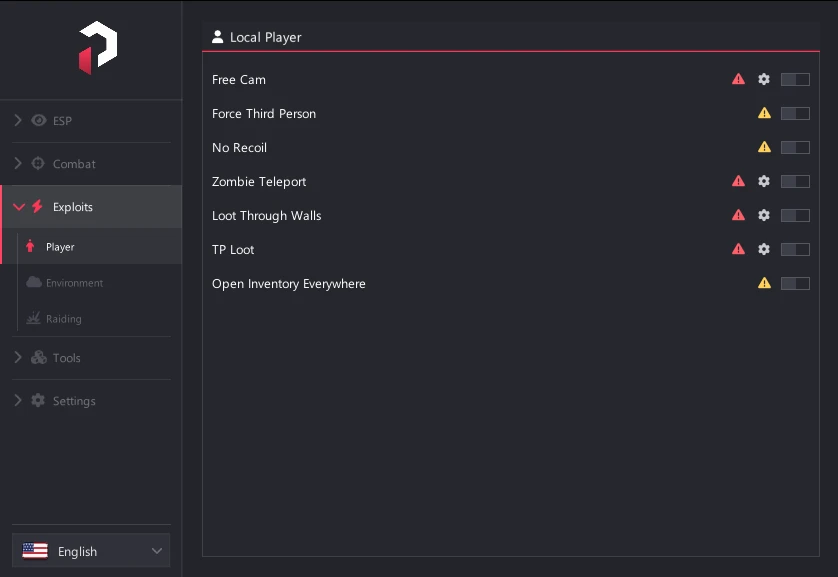
Player
- Free Cam – Detach camera for free movement
- Force Third Person – Lock to third-person view
- No Recoil – Eliminate weapon recoil
- Zombie Teleport – Teleport to zombie locations
- Loot Through Walls – Loot containers through obstacles
- TP Loot – Teleport loot to your inventory
- Open Inventory Everywhere – Access inventory anywhere
Environment
- No Grass – Remove grass for better visibility
- Auto Unlock DLC – Bypass DLC restrictions
- Change Time – Adjust in-game time of day
- Brightness – Boost screen brightness
Raiding
- Bullet TP to Base – Teleport bullets to base structures
- Min / Max Dist – Set teleport range
- Offset X/Y/Z – Adjust teleport offset coordinates
- Show Fence Indicator – Display fence target indicators
- Raid FOV – Display FOV circle with adjustable Radius and Color
- Bullet Teleport Key – Assign teleport activation key
- Nuke Mode – Enable area-wide damage
🛠️ Tools
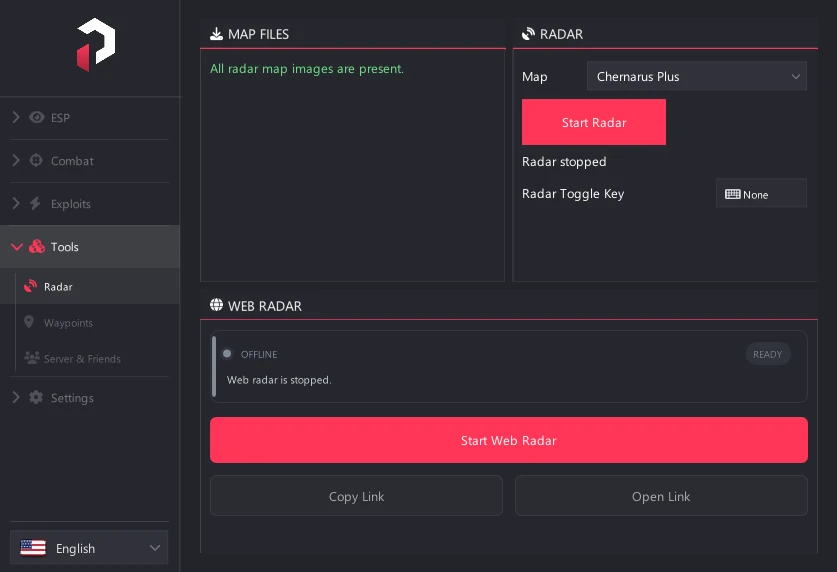
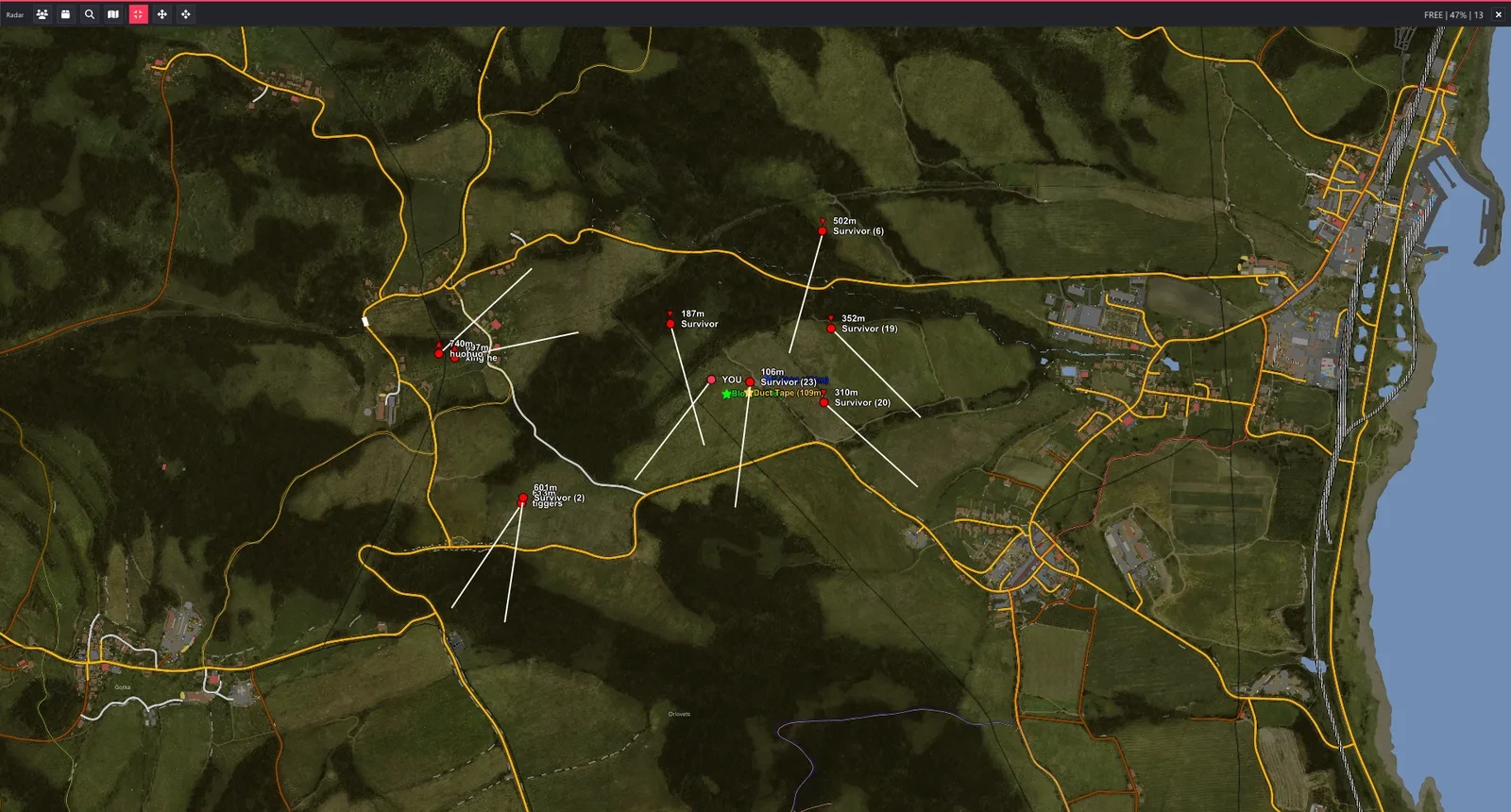
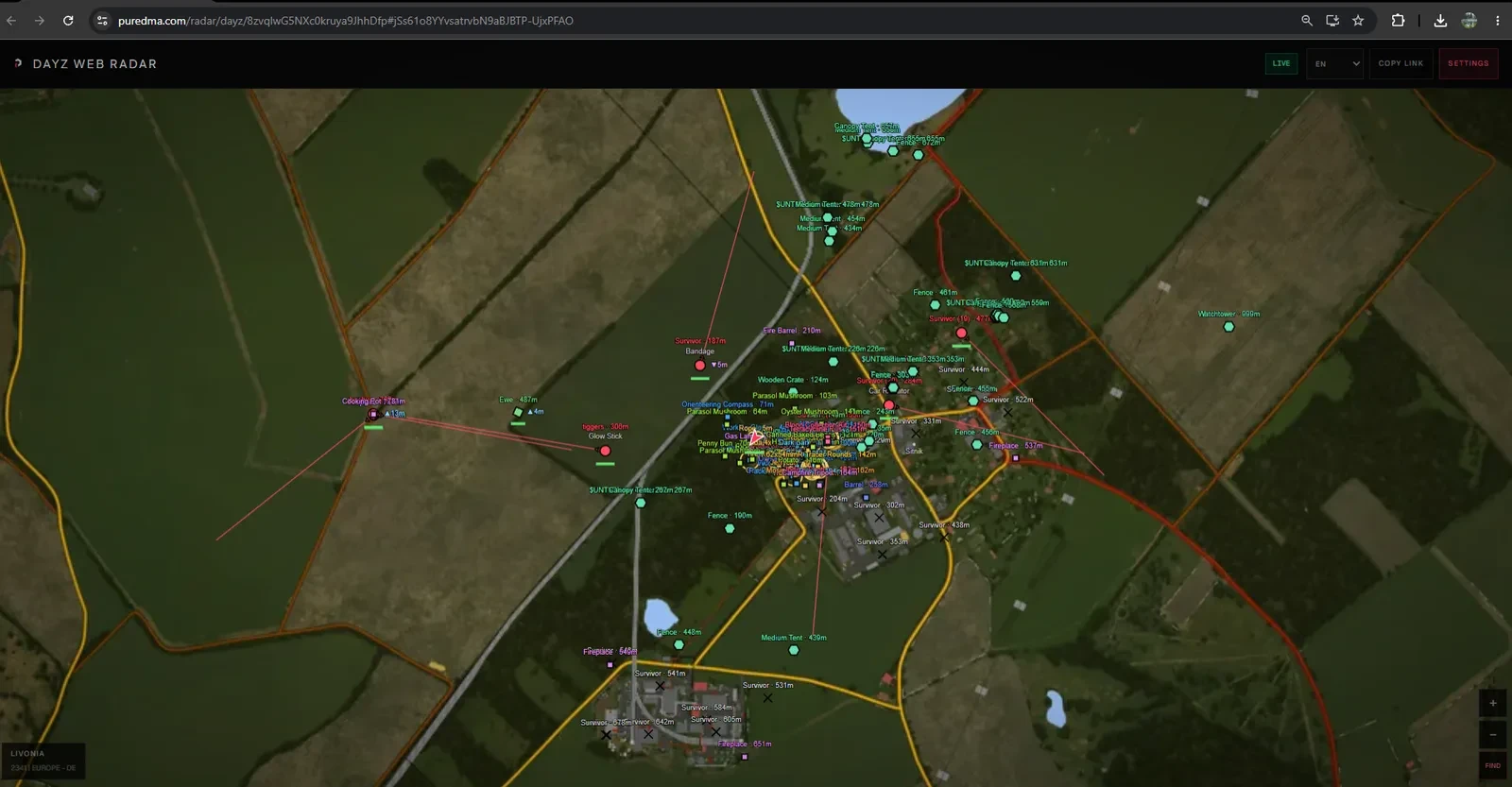
Radar
- Download Maps – Download map data
- Map Select – Choose active map
- Start / Stop Radar – Launch or close radar display
- Radar Toggle Key – Assign key to toggle radar
- Start / Stop Web Radar – Launch or close web radar
- Copy Link / Open Link – Copy or open web radar URL
Waypoints
- Custom Waypoints – Create custom waypoints with Show Distance and Max Distance
- Death Location – Show Death Location with Distance, Max Distance, and Color
- Create Waypoint – Add new waypoint
Server & Friends
- Server Player List – Display all players on server
- Server Info HUD – Show server information
- Hide ESP for Friends – Hide ESP for added friends
- Admin Detection – Alert when admins are nearby
- Open Server Player List – Open player list window
Radar Window
- Display – Toggle Fullscreen, Follow Player, Free Camera, and Center Map
- Local Player – Customize Local Blip Color, Local Icon Size, and Local Aimline
- Entities – Toggle Player Radar with Labels, Fields, and Aimline; toggle Zombie Radar, Animal Radar, and Vehicle Radar
- Loot – Set Loot Distance, Loot Blip Size, Loot Labels, Favourite Loot Line, Filter Mode, Loot Categories, and Category Distances
- Nearby Item Search – Search for nearby items
- Whitelist / Blacklist / Favourite – Manage item lists
- Blip Style – Choose icon style with Text Background option
- Map – Toggle City Names, Grid Lines, Bullet Tracers, Elevation Cue, and Death X Marker
- UI – Adjust Radar UI Scale, Map Opacity, and Hide Navigation
- Window Corner Snap – Snap radar to screen corners
Floating Windows
- Item Filter – Open item filter window
- Server Player List – Open server player list
- Local Player List – Open local player list
- Friends – Open friends list
- Admins – Open admin list
- Copy Steam ID – Copy Steam ID to clipboard
- Copy Steam Profile URL – Copy profile link to clipboard
⚙️ Settings
Profiles
- Create Profile – Create new configuration profile
- Load Selected – Load saved profile
- Save Selected – Save current settings
- Delete Selected – Remove profile
- Active Profile – Display current profile name
- Saved Profiles List – Browse all saved profiles
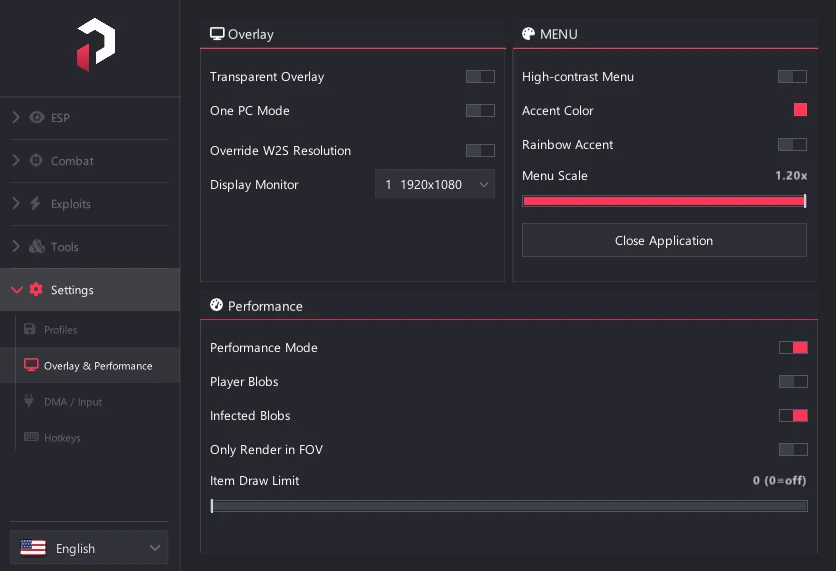
Overlay
- Transparent Overlay – Make overlay see-through
- One PC Mode – Click-through when menu hidden
- Dual Keyboard – Support for two keyboards
- Override W2S Resolution – Manual resolution adjustment with Screen Width, Screen Height, and Display Monitor
Menu
- High-Contrast Menu – Easier readability on capture setups
- Accent Color – Customize menu accent
- Rainbow Accent – Enable rainbow color cycling
- Menu Scale – Adjust UI size
- Language Picker – Select interface language
- Close Application – Exit software safely
Performance
- Performance Mode – Optimize for performance
- Player Blobs – Render players as blobs for efficiency
- Infected Blobs – Render infected as blobs
- Only Render in FOV – Only show targets in view
- Item Draw Limit – Set max items displayed
- Show FOV Circle – Display FOV indicator
DMA / Input Status
- Game Link – Display game connection status
- DMA Card – Show DMA card status
- Keyboard Sync – Display keyboard sync status
- Hardware Mouse – Show hardware mouse status
- Radar Service – Display radar service status
Hotkeys
- Menu Toggle – Key to open/close menu
- Battle Mode – Key to toggle combat mode
- Aimbot Disable – Key to temporarily disable aimbot
- Refresh ESP – Key to refresh ESP data
- Local Player List – Key to open local player list
- Server Player List – Key to open server player list
- Toggle Player ESP – Key to toggle player ESP
- Toggle Infected ESP – Key to toggle infected ESP
- Toggle Wildlife ESP – Key to toggle wildlife ESP
- Toggle Loot ESP – Key to toggle loot ESP
Automatic feedback after 7 days.
Automatic feedback after 7 days.
Automatic feedback after 7 days.
Automatic feedback after 7 days.
 Someone in US purchased
DayZ
Verifiziert
Someone in US purchased
DayZ
Verifiziert
Someone in US purchased
DayZ
Verifiziert
Someone in US purchased
DayZ
Verifiziert
Someone in US purchased
DayZ
Verifiziert
Someone in US purchased
DayZ
Verifiziert
Someone in US purchased
DayZ
Verifiziert
Someone in US purchased
DayZ
Verifiziert
Someone in US purchased
DayZ
Verifiziert
Someone in US purchased
DayZ
Verifiziert
Bei deinem Konto anmelden
Dein Browser hat das Discord-Fenster blockiert. Erlaube Pop-ups für diese Website und versuche es erneut.
Die Discord-Anmeldung ist fehlgeschlagen. Bitte versuche es erneut.




























No matches here — press Enter to search everything.
Tippe, um Produkte zu suchen.